P528 Verifying KidsCare and Freedom to Work Premium Payments
|
Program |
Manual Section |
|
KidsCare FTW |
Procedure
Take the following steps to verify a customer’s premium payment for KidsCare and Freedom to Work:
|
Step |
Action |
|
1 |
From the PMMIS main menu, enter “FI630” in the “NTR” field and press ENTER.
|
|
2 |
In the “Account ID” field , enter the following information:
NOTE When the customer cannot provide the group ID number, it can be found on the “Premium History” screen in HEAplus. Once you have entered the ID, press ENTER.
|
|
3 |
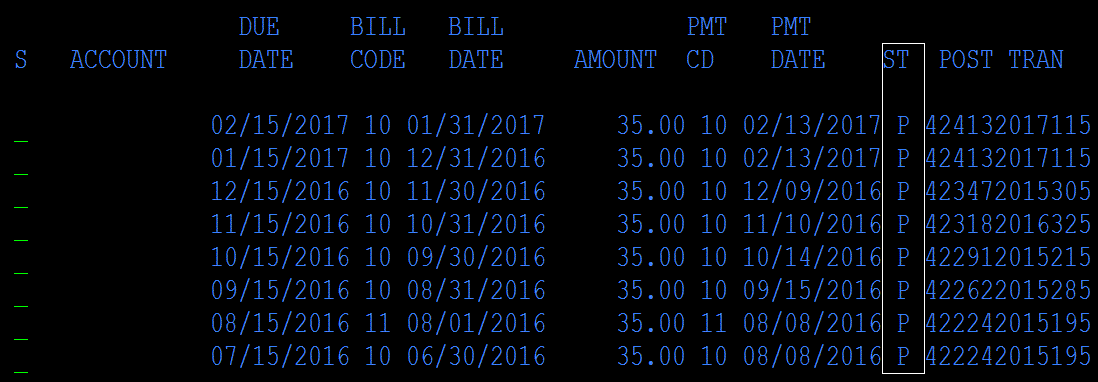
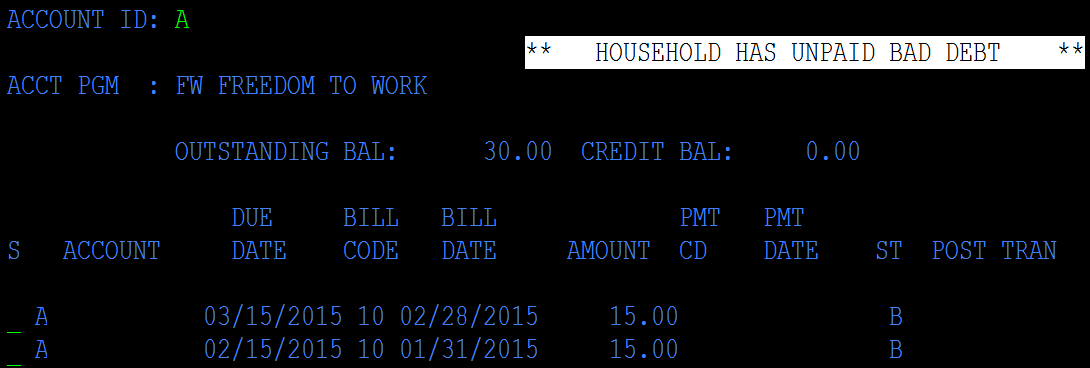
This screen will show the customer’s current payment status. A “P” under the ST column indicates that the premium was processed. A “B” indicates that the premium amount has been billed.
When the customer has an overdue unpaid premium, the FI630 screen will display a message, as in the picture below:
|